SafeGuardWORKS
Connected factory operations

One clear view of every build, station, and decision.

SafeGuard Works is a configurable manufacturing operations platform. It connects production flow, operator work, digital Standard Work, quality, staffing, assistance, and reporting as a unit moves from raw material to finished equipment—without replacing the business systems you already rely on.
  • Built around your plant structure
  • Dedicated or customer-hosted deployment
  • No sample records in production
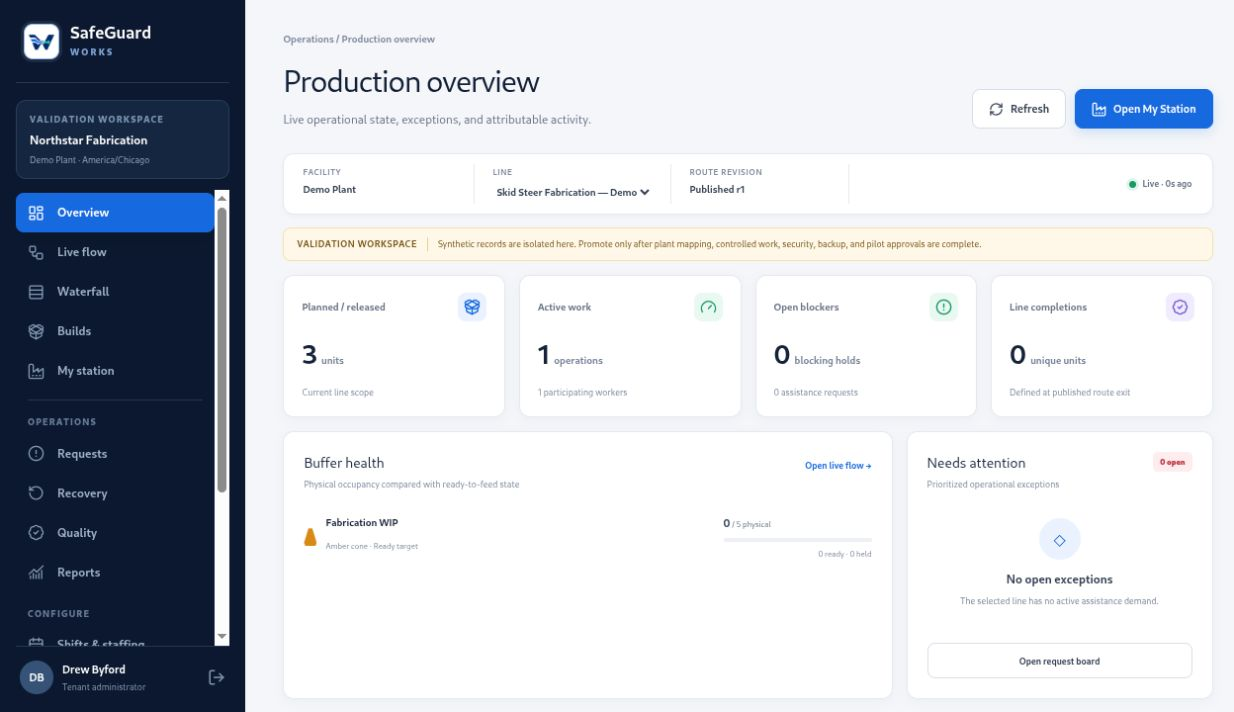
Production overview Live application
SafeGuard Works production overview showing live builds, active work, exceptions, and buffer health
FabricationWeldingPaintAssemblyQualityPlant leadership
Built for the floor

Operations software that follows the whole unit—not another disconnected dashboard.

Configure the plant once, then let each recorded action update the right floor views, queues, histories, and reports.

Live production flow

See each build move from fabrication through paint, assembly, quality, and completion.

Connected by design

Operator workspace

Give every station the right build, controlled work, inspections, parts context, and help actions.

Connected by design

Digital Standard Work

Author, review, approve, revise, and deliver visual instructions where the work happens.

Connected by design

Quality and recovery

Keep inspections, holds, rework, bypass decisions, and recovery history connected to the unit.

Connected by design

Factory configuration

Model facilities, areas, lines, stations, buffers, and routes around the way your plant operates.

Connected by design

Operational reporting

Build traceable shift, WIP, material, quality, delay, and activity reports from recorded events.

Connected by design
The working product

See the factory, the flow, and the work as they really appear.

These are current screens captured from the running SafeGuard Works application—not stock artwork or conceptual mockups.
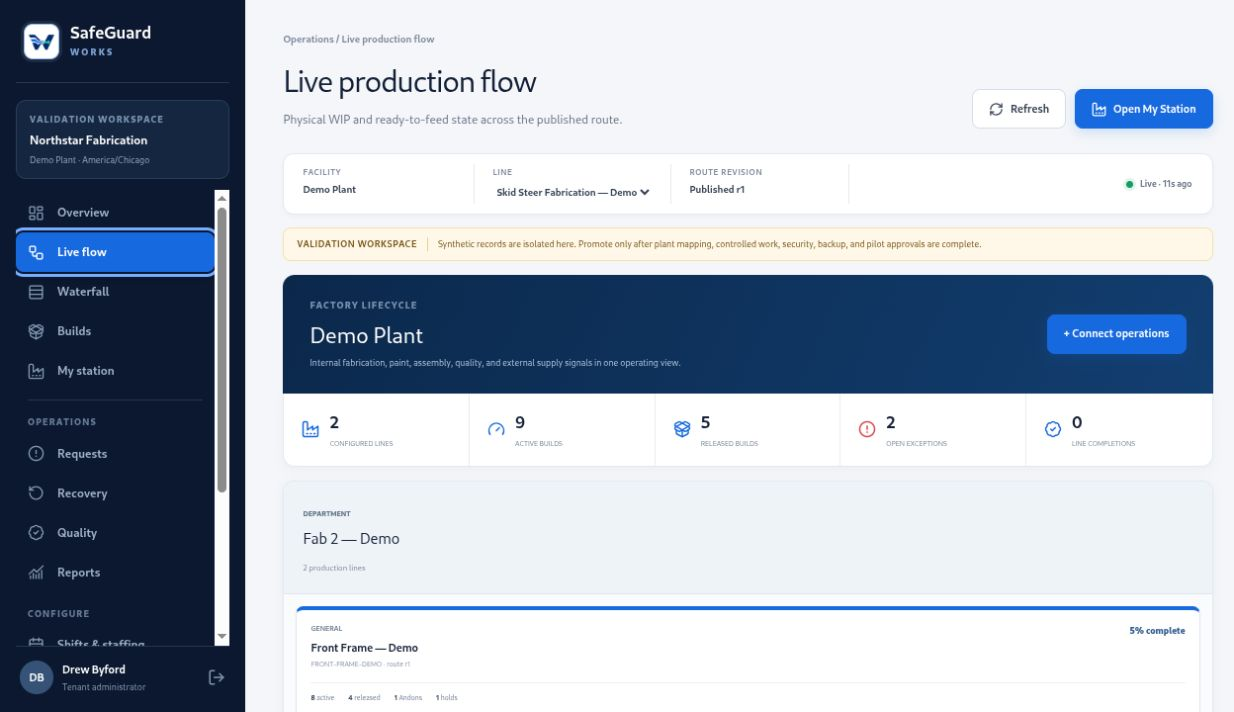
Live production flow Current interface
SafeGuard Works live production flow showing factory areas, lines, operations, builds, and status
Follow the full build lifecycle.See areas, parallel lines, route steps, WIP, active builds, and operational exceptions in one connected view.
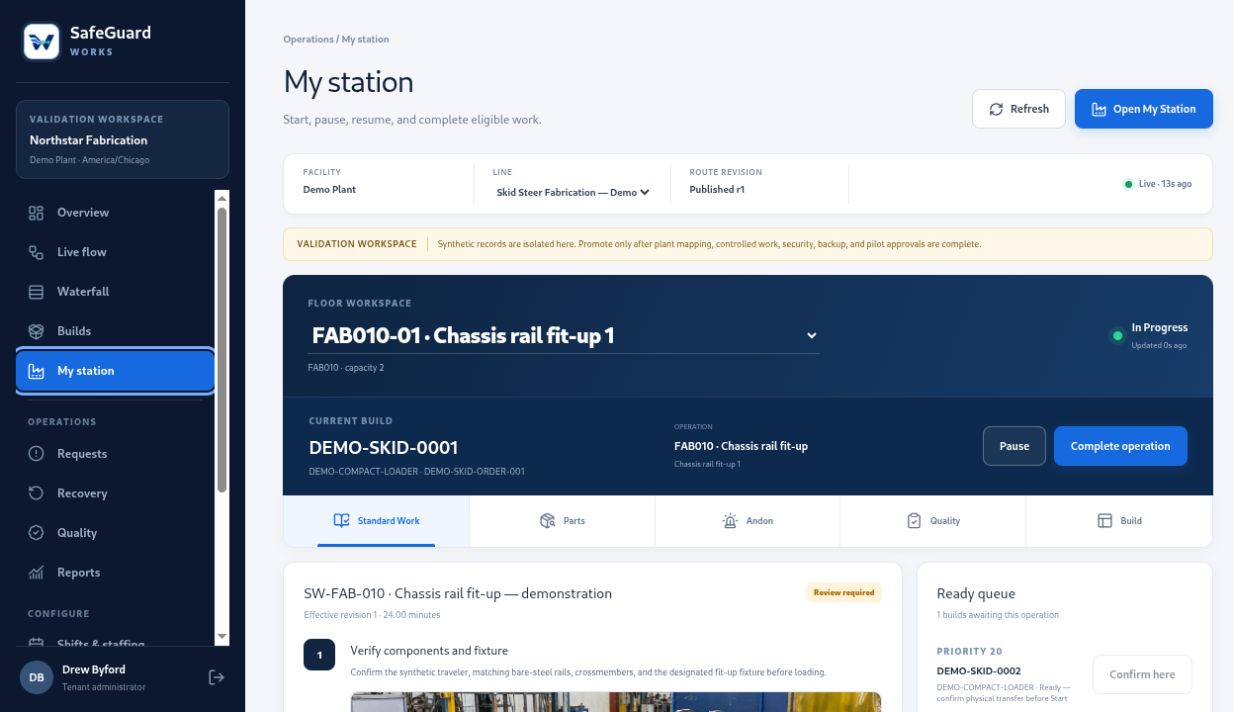
My Station Operator view
SafeGuard Works My Station operator workspace with current build and digital Standard Work
Put the work at the station.Operators see the build, approved instructions, parts, Andons, quality checks, and execution controls together.
Factory Overview Admin view
SafeGuard Works Factory Overview with configurable plant areas and production line topology
Configure the plant visually.Arrange areas, drill into lines and stations, and preserve saved layouts without changing controlled routes.

Application interface shown with a configured validation workspace. Customer production installations start without sample operating records.

A system people can actually use

From the floor to the front office, everyone works from the same production history.

Operators get a focused station experience. Supervisors see flow and exceptions. Engineering controls Standard Work. Quality keeps inspection and rework attached to the build. Leadership gets reports generated from those same records.

For operatorsCurrent work, next work, instructions, parts, inspections, and assistance.
For supervisorsLive floor flow, staffing, recovery, WIP, priorities, and handoffs.
For the businessTenant-separated records, scoped access, attribution, and revision history.
Factory overview
Area 01Fabrication

Parallel component lines

Area 02Paint

Process and release

Area 03Assembly

Build convergence

Area 04Quality

Inspection and recovery

Drill from plant → area → line → station
Deployment that fits

Your software. Your operational data. A hosting model that fits the customer.

SafeGuard Works can be delivered as a dedicated managed installation or deployed into infrastructure controlled by the customer.

Managed deployment

Dedicated customer environment

A separate VPS and customer domain with isolated application services, database, backups, and controlled onboarding.

  • Customer-specific configuration
  • Managed updates and deployment
  • Clear environment ownership
Customer-hosted

Run it in their environment

Deploy the packaged application to an approved customer VPS or private infrastructure with their security and operational controls.

  • Customer-controlled hosting
  • Plant-specific rollout
  • Integration discovery on their terms
Customer access

Ready to run the floor?

Sign in with the credentials assigned to your organization. Protected accounts complete authenticator verification after the password is accepted.

Protected organization workspaceAccess and production records are scoped to the signed-in customer.
See your operation more clearly

Let’s map SafeGuard Works to the way your plant actually builds.

Contact SafeGuard Command